Blueshore
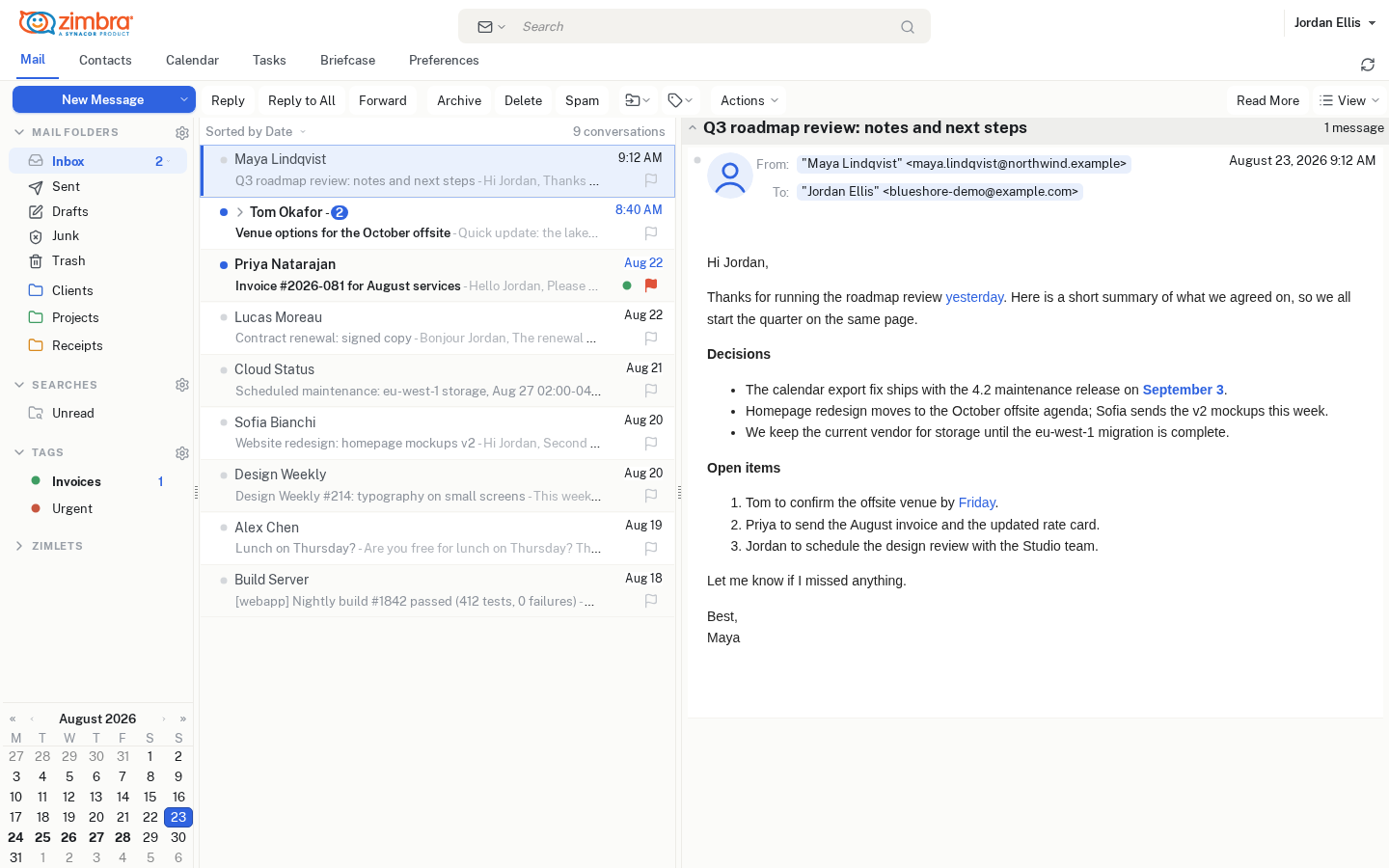
A family of four open source skins for the Zimbra Classic web client. Modern, quiet, light and dark — without touching a single core file.
A family of four open source skins for the Zimbra Classic web client. Modern, quiet, light and dark — without touching a single core file.
Every icon of the Classic UI redrawn with Lucide as inline SVG — folders, toolbar, message status, calendar, dialogs. No legacy sprites, crisp at any zoom.
Public Sans ships inside the skin. Zero external requests, one coherent type scale driven by the user's font-size preference.
Surfaces, calendar grid, native form controls, editor toolbar — all themed. The message body stays a light card, because HTML mail assumes a white background.
A plain Zimbra skin: drop it in skins/, register it, done. It survives upgrades and users pick it per account in Preferences → Theme.
Neutral warm surfaces, accent colour only where it means something, compact rows in lists and in the folder tree, unread counts in their own badge.
One shared source, colour-only palettes. A custom branded variant is a single .properties file plus the included build script.
blueshoretideblueshoretidedarkblueshoresandblueshoresanddarkcp -a skins/blueshoretide /opt/zimbra/jetty_base/webapps/zimbra/skins/
chown -R zimbra:zimbra /opt/zimbra/jetty_base/webapps/zimbra/skins/blueshoretide
su - zimbra -c 'zmskindeploy /opt/zimbra/jetty_base/webapps/zimbra/skins/blueshoretide'
su - zimbra -c 'zmprov mc default +zimbraAvailableSkin blueshoretide && zmprov fc skin'Developed and tested on Zimbra FOSS 10.1.x (Maldua builds), Classic/Advanced client. Full procedure, updates, removal and troubleshooting in the install guide; palettes and token reference in the customisation guide.